
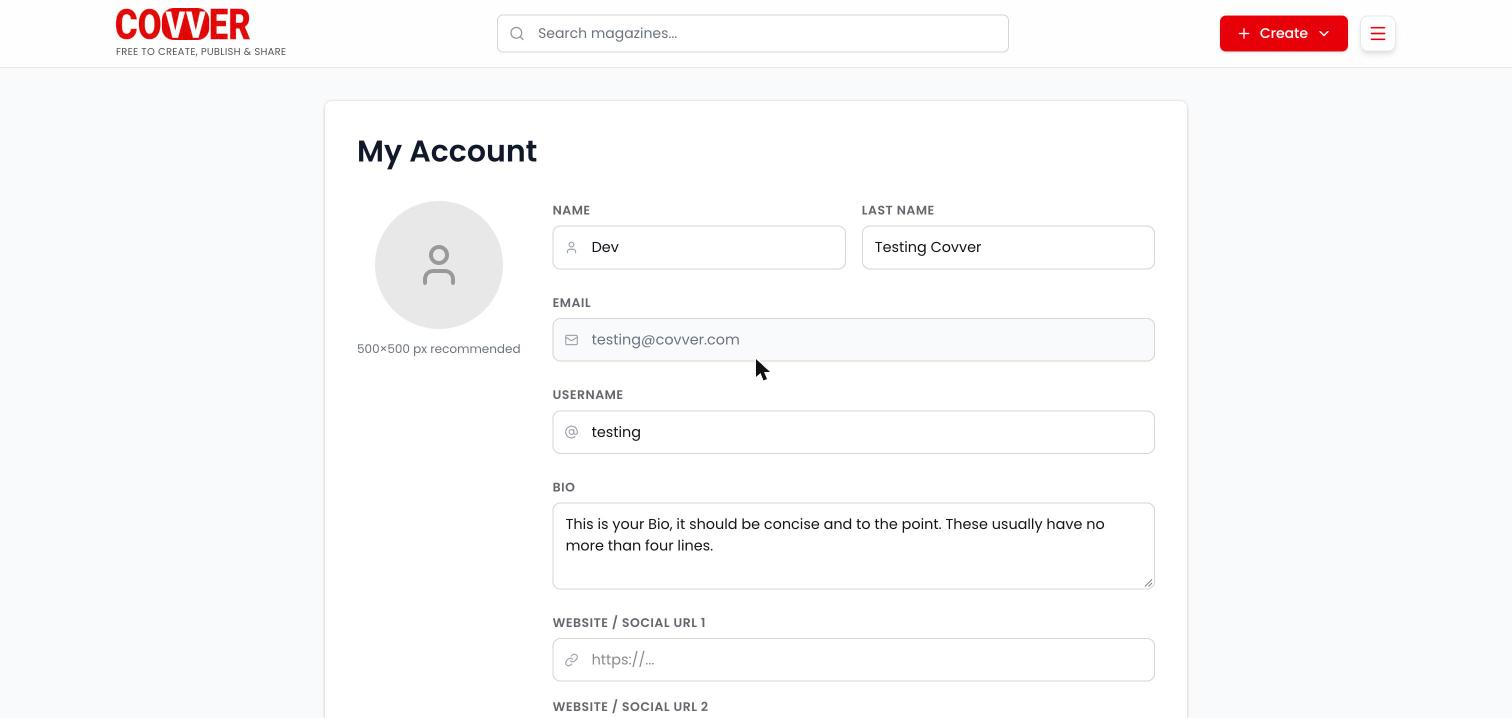
My Account on covver.com
Edit your profile on covver.com
1
Open My Account
Open the main menu, expand your account and select Account.
2
Change your details
Edit the fields described below.
3
Save
Scroll to the bottom and select Update my profile. A Saved! message confirms it.
Fields
Edit your profile in the Builder
Open the profile menu and select Profile. The page has the same information plus a few more fields:
Select Save changes to keep your edits, or Discard to undo them.
Account visibility
Choose who can see your magazines. The setting is on both pages: Account Visibility on covver.com and Visibility in the Builder.Access requests
When a signed-in reader selects Request access on your stand or on one of your magazines, Covver records a request to subscribe. The reader sees Request pending, or “The creator hasn’t approved your request yet”, until the request is approved. Approved readers can open your magazines.Legal & compliance
Forms in your magazines that collect data (mailing lists, email and phone gates, campaign forms, payments) can show a short disclaimer under their submit button. You set it once for all your forms.
Save with Update my profile on covver.com, or Save changes in the Builder.
The disclaimer is not legal advice. Write the text and choose the policies that fit how you use readers’ data.
Related
- Your stand: customize the page your profile appears on.
- Your library
- Create an account and sign in